
 Login
LoginCompany Library
The Company Library makes it easy to store, manage, and share Emovids across your organization, so everyone has access to the information they need, exactly when they need it. Keep all your important Emovids in one centralized, organized space.
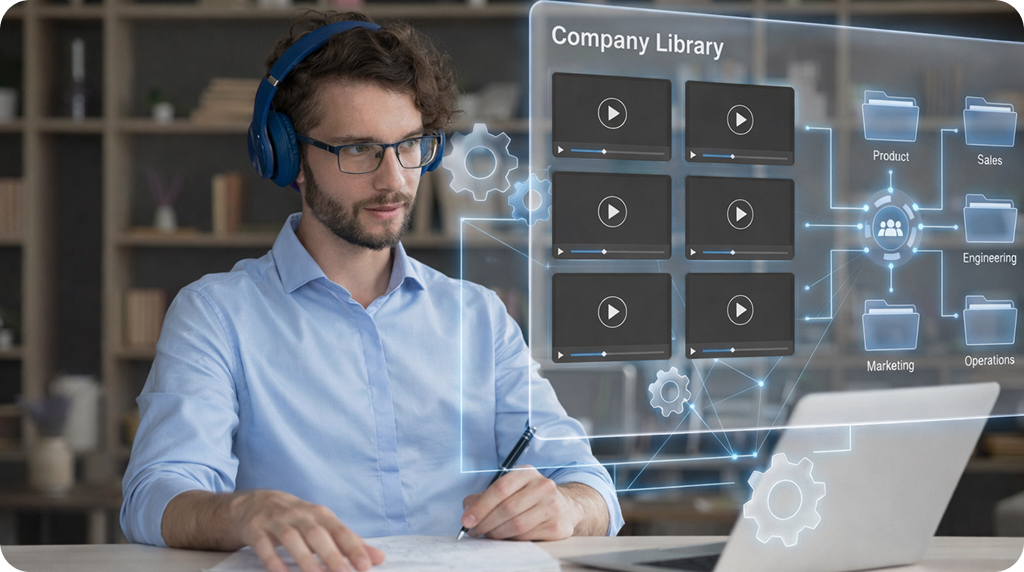

Centralize your video knowledge
Stop searching across tools and folders. Store all company-wide Emovids in one shared library that’s easy to access and navigate.

Stay organized at scale
Create folders and subfolders to neatly organize Emovids by department, topic, or initiative, keeping everything clear and easy to find.

Maintain control and consistency
Company Super Admins can review, approve, or reject Emovids before they’re added to the company library.
How the Company Library Works
Organize and share Emovids across your team with simple admin controls and flexible structure. Add videos to the library in just a few clicks while keeping everything organized and governed.
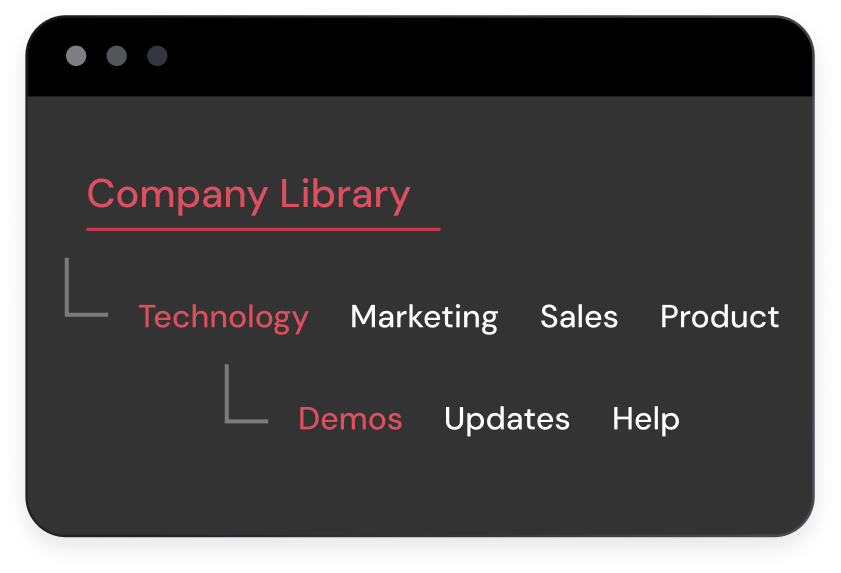

Step 1. Create folders and subfolders
Set up a folder structure that matches how your organization works by team, topic, or workflow. Customize and update it anytime.
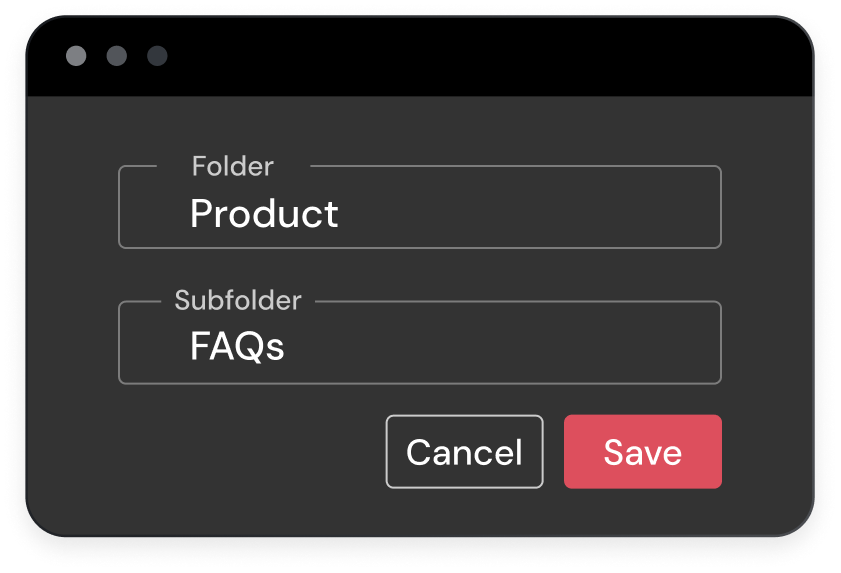

Step 2: Add Emovids to the library
Add any existing Emovid directly to the Company Library. Choose the folder and subfolder, and your video is instantly available to the team.
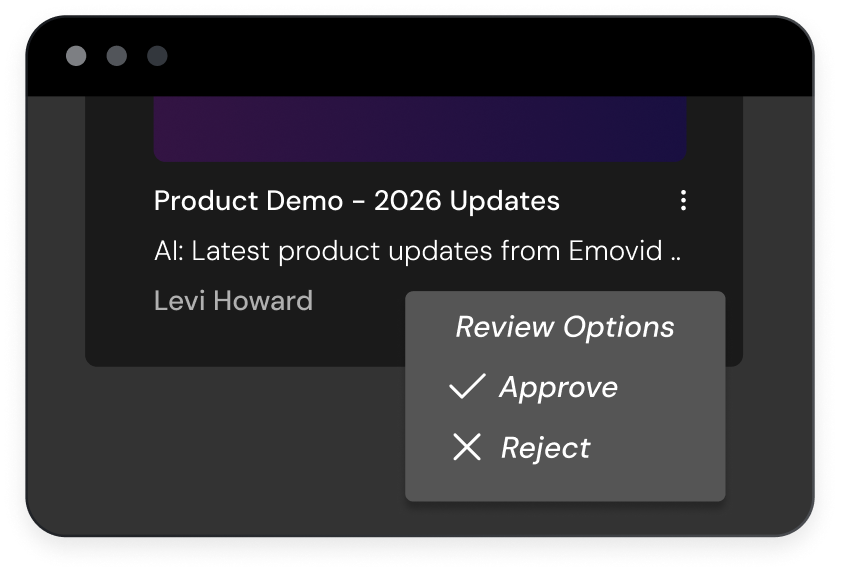

Step 3: Review and approve submissions
Super Admins can review submitted videos in their inbox and approve or reject them before they’re published—keeping the library clean and trustworthy.
Company Library Use Cases
The Company Library is designed to grow with your organization. As teams create more video content, the library stays organized, searchable, and easy to manage, without adding overhead.

Human resources
Centralize training, onboarding, policy updates, benefits information, and DEI Emovids in one easily accessible place.

Leadership & executive communication
Share leadership updates, vision-setting messages, and quarterly announcements in one trusted location employees know to check.

Education & higher learning
Organize short instructional videos, program updates, and academic guidance in one central library for students, faculty, and staff.

Team-specific knowledge hubs
Create folders for individual teams like Sales, Support, Engineering, or Marketing, making it easy to share role-specific training and updates.

Customer-facing team content
Equip Sales, Success, and Support teams with internal walkthrough videos and product update Emovids anybody can reference on demand.

Internal communications
Share company announcements, leadership updates, product launches, and internal rollouts via Emovid, all kept in one place.

Remote & distributed teams
Ensure remote employees have equal access to information, updates, and training, all via Emovid, no matter the location or time zone.

Product knowledge & internal demos
Keep internal product demos, feature explanations, and updates organized and available as products evolve.
Flexible Access for Every Role
The Company Library supports clear roles so content stays organized and trustworthy.

Super Admins
- Create and manage folders and subfolders
- Review, approve, or reject submitted Emovids
- Control what Emovids are published company-wide
- View detailed engagement analytics for all videos in the Company Library

Admins
- Organize and maintain specific folders
- Add approved Emovids to the library
- Keep team content structured and easy to find for their teams or departments.
- View detailed engagement analytics for all videos in the Company Library

Team Members
- Submit Emovids for review and approval
- Access approved videos anytime
- Trust they’re watching the most up-to-date content
- No confusion around permissions
Frequently Asked Questions
Can Company Library help improve team performance?
Yes. By giving everyone easy access to the same Emovids, you ensure consistent knowledge across teams, reducing mistakes and improving onboarding, training, and project execution.
How does the Company Library save me time?
It centralizes all important training, policy, and announcement Emovids in one place, so you don’t waste time searching across emails, shared drives, or chat threads.
Can Company Library scale as our company grows?
Yes. Company Library is designed to scale in a controlled way. You can create up to six folders, each with up to six subfolders, to organize content by teams, initiatives, or products. Super Admins can assign Admins to individual folders, ensuring clear ownership and easy management as the organization grows.
What types of content belong in the Company Library?
Any internal Emovids that needs to be shared broadly: training sessions, policy updates, HR announcements, product rollouts, or other company resources.
What is the acknowledgement feature in Company Library?
The acknowledgement feature allows viewers to confirm that they’ve watched an Emovid in the Company Library. With a single click, users can acknowledge and create a clear record that the Emovid was seen.
Emovid Features You’ll Love
 Video Merge
 BCC Mode
 Extended Video Recording
 Video Upload
 Multi-Video Analysis
 Android & iOS Mobile Apps
 Custom Thumbnails
 Add Notes & Hyperlinks
 Time Savings Calculator
 Custom Domain Email
 Cobranding
 AI Business Personas
 QR Code Support
Coming soon
 AI Business Personas
 QR Code Support